
Website Propagation Explained

Let’s talk about something that sounds way more complicated than it actually is.
Website propagation.
And no, we are not talking about crops, gardening, or anything that involves soil, watering schedules, or waiting for things to grow in a field. We are talking about what happens when you move a website from one place on the internet to another and the internet basically says, “Cool, I will update that… eventually.”

What website propagation actually means
When you launch a new website or move an existing one to a new platform, you are usually updating something called DNS records.
DNS is basically the internet’s address book. It tells browsers where your website lives.
So during a website cutover, we are changing the address that the internet uses to find your site.
The catch is this: the internet is not one single system. It is thousands of servers across the world, and they do not all update at the exact same time.
That delay is what people call propagation.
In plain English, propagation is just the internet slowly catching up to the fact that your website moved. Some people see the new site instantly. Some still see the old version for a bit. And a few will swear nothing changed at all while you are sitting there refreshing your browser like it is going to magically fix itself.
Why propagation happens
Here is the simple version:
Your domain records exist on servers all over the world
Those records have something called a “time to live” value
That value tells servers how long to keep old information before checking for updates
Until those servers refresh, some users may still land on the old site
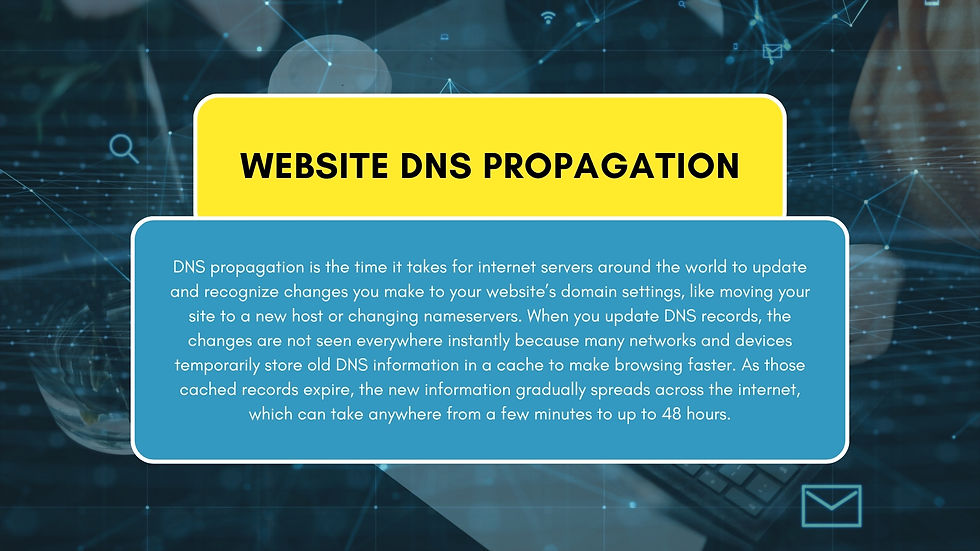
So even though everything is updated correctly on your end, the internet is just taking its time syncing up.
It is not broken. It is just not fully updated everywhere yet.
What you will typically see during a cutover
During a website switch, this is completely normal:
Some users see the new site immediately
Some still see the old site for a few hours
Some see a mix depending on location or device
You refresh your browser way too many times hoping it behaves consistently
This phase usually lasts anywhere from a few minutes to 24 to 48 hours depending on DNS settings and how often internet providers refresh their records.
Most of the time, things stabilize quickly. But there is always that in-between period where nothing feels fully “locked in” yet.
How to check propagation (for anyone who likes to get a little geeky about it)
If you want to actually see what is happening behind the scenes, there are tools that show you propagation in real time.
This is one of the easiest ways to check propagation.
How to use it:
Enter your domain name
Select the record type (usually A record or CNAME)
Click search
You will see results from servers all over the world.
If you see green check marks, that location has updated to the new site. If you still see old IP addresses in some areas, propagation is still in progress.
Think of it like a global scoreboard showing who has updated and who is still catching up.
WHOIS is less about live propagation and more about verification.
How to use it:
Enter your domain name
Review the domain details
Confirm your nameservers are pointing to the correct hosting setup
This is your “official paperwork” check. It confirms that your domain is actually pointing where it is supposed to point.
One more thing that makes propagation confusing: browser cache
Now here is where things get interesting.
A lot of people think something is wrong with their website during propagation when really, the internet is fine. Their browser is just showing them an old version of the site.
That is called cache.
Your browser stores parts of websites locally so they load faster next time. That can include images, layout files, and sometimes even older versions of pages.
So even if propagation has completed, your device might still be showing the old site because it is trying to be helpful.
It is not a DNS issue. It is a memory issue.
Why clearing cache helps
Clearing cache forces your browser to stop using stored data and instead pull the newest version of the site directly from the server.
This helps when:
You just launched a new website
You changed hosting or platforms
You updated DNS records
You are seeing an old version while others are seeing the new one
Think of it as telling your browser: stop guessing and go get the real version.
How to clear cache on Windows (Chrome or Microsoft Edge)
Open your browser
Press Ctrl + Shift + Delete
A “Clear browsing data” window will appear
Select “Cached images and files”
Set time range to “All time” if troubleshooting a launch
Click “Clear data”
Refresh your website
How to clear cache on Safari (Mac)
Option 1: Full cache clear
Open Safari
Click Safari in the top menu bar
Go to Settings (or Preferences)
Click the Privacy tab
Select “Manage Website Data”
Click “Remove All”
Confirm
Option 2: Developer cache clear (faster method)
Enable Develop menu in Safari settings if needed
Click Develop in the top menu
Click “Empty Caches”
Refresh your site
Important note
Clearing cache only affects your device.
So if you clear your cache and still see something old, that does not automatically mean the site is broken. It may still be propagating in other parts of the world.
That is why tools like:
are so useful. They show what is happening globally, not just on your screen.
What NOT to do during propagation
A few common mistakes:
Do not keep changing DNS settings repeatedly. That resets the process and makes things worse
Do not assume the site is broken just because you still see the old version somewhere
Do not panic when different devices show different versions
Do not wipe everything before confirming records are actually live
Propagation is not a failure. It is just a transition period.
Final thought
Website propagation is one of those things that sounds intimidating until you realize it is just the internet slowly updating its contact list.
Some servers update fast. Some take longer. Eventually, everything syncs.
And once you understand how DNS and cache work together, website launches become a lot less stressful and a lot less “refresh the page and hope for the best.”
At the end of the day, if your site looks different in two places at once, it is not haunted.
It is just propagating.


